
Make driver pay easier to get right and easier to explain.
Set pay rules by base and contract. Review exceptions before a pay run. Trace statement totals back to individual trips.
For independent bases in New York and New Jersey. No slides.
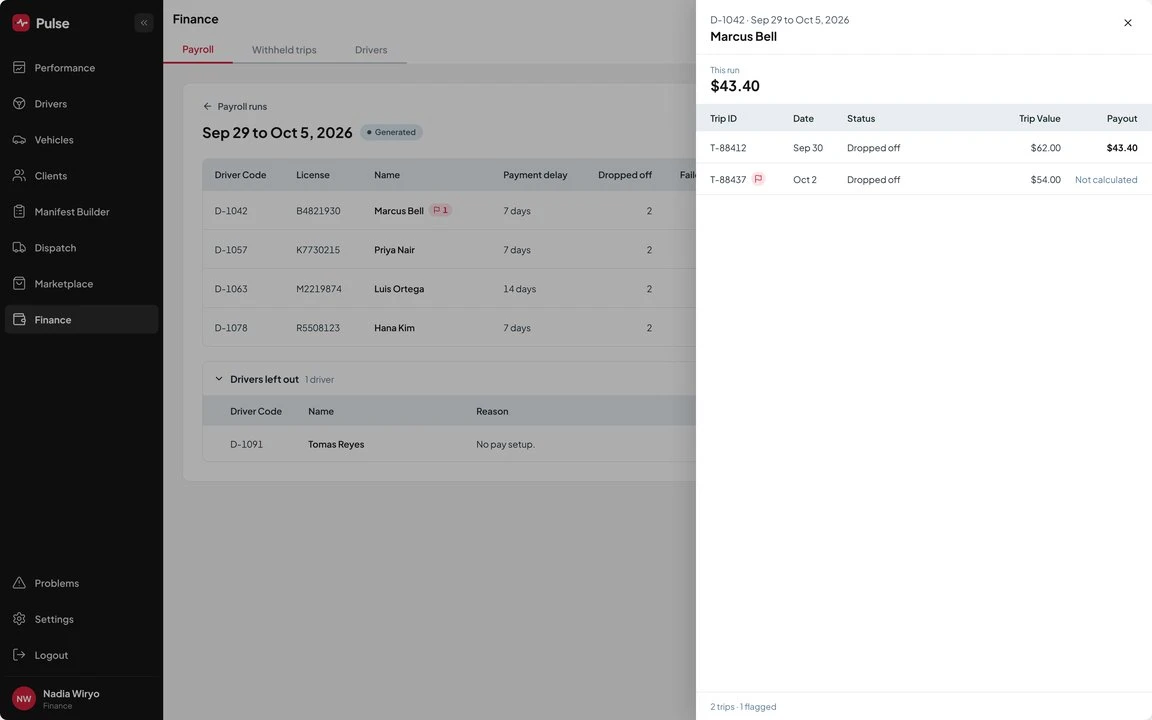
- 1Pay run for the period
- 2Driver detail
- Pay rulesby base and by contract
- Statementsby contract and by trip
- Payroll exportfor your driver types
- 2 to 3 daysto switch
Payday should not mean rebuilding the week.
A driver questions a total. Your team checks the contract, finds the trips and works through the calculation again.
When the rules and trip details sit together, it is easier to settle the question. Drivers who trust their pay are more likely to stay.
Rules set once
They go by base and by contract.
Exceptions caught early
Flagged trips stay out of the run.
Totals you can trace
Statements go by contract, then by trip.
Pulse goes from pay rules to a clear statement.
Set the rules for your operation
Configure pay rules by base and contract. Contract-specific rules take precedence over the default. You set them once and every pay run uses them.
Run the trips
Trip details, flags and edits stay on the record. Pay comes from completed trips, not from a separate sheet. What the driver did is what the driver is paid for.
Review exceptions before the pay run
Flagged trips stay out of the run until your team resolves them. Your team fixes the problem once, before the statement goes out.
Trace totals back to trips
Statements organize pay by contract and trip. When a driver asks about a total, your team follows it back to the trips behind it. Drivers can see why.
Prepare payroll and cash settlement
Pulse supports 1099 contractors, W-2 employees, commission and split pay, and cash bookouts. Payroll exports come as CSV. A bookout shows what was collected and what is owed, line by line.
Support the working day
Auto Trip Offer sends the next offer to the driver’s phone. Call Out returns a trip the driver cannot cover. Build Me A Route lets drivers plan their own day. One driver account covers every company a driver works for.
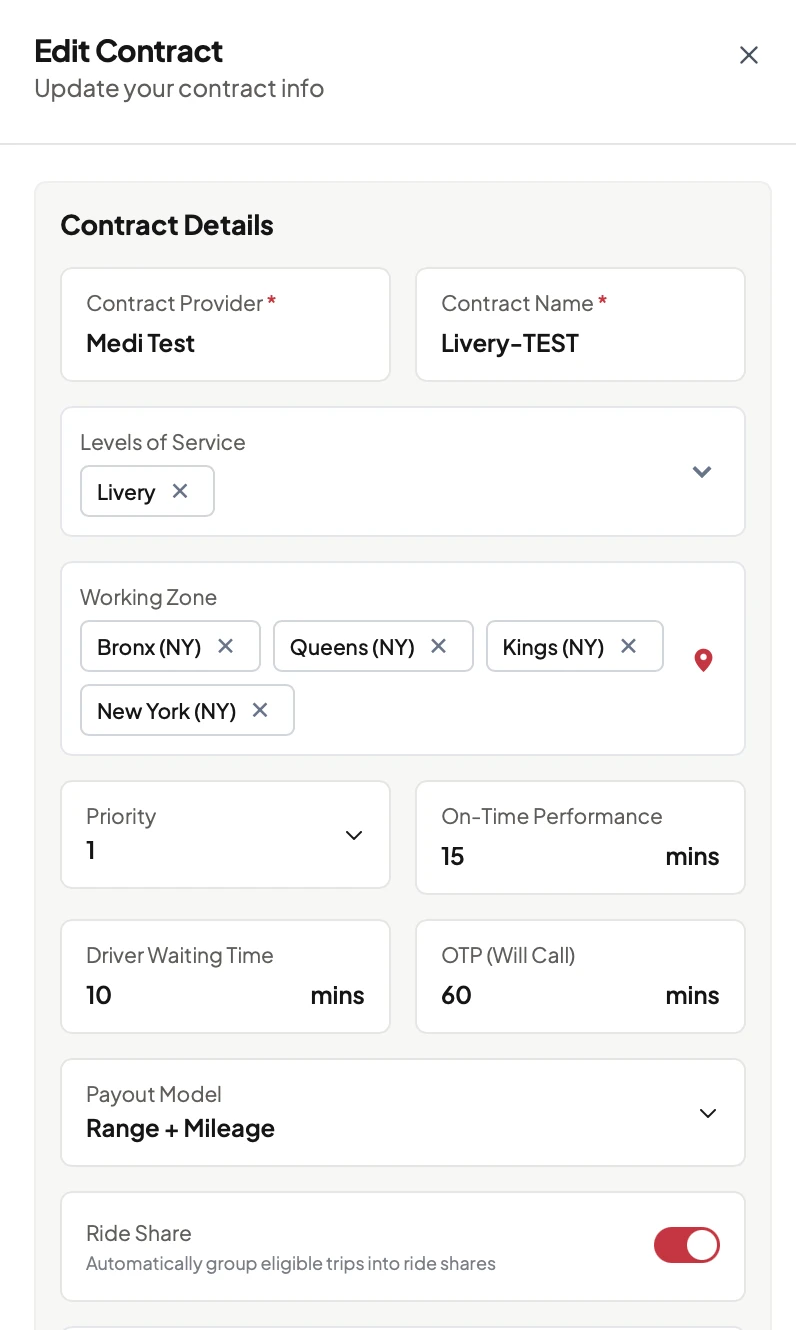
Contract settings with the on-time window, waiting time and payout model. Demo data.
What happens on the call
- We look at how you pay drivers today.
- We show a sample trip moving through a pay rule and onto a statement.
- We go over the 2 to 3 day switch and how pricing works.
Pulse applies these before anyone is paid.
Built by people who ran a base.
- 20 yearsin NEMT and cash-pay transportation
- 100M+trips of history
- 2 to 3 daysto switch
Pay that fits the contract
Rules follow the base and the contract, not one default.
Statements with the math
Totals trace back to trips. Drivers see their statements in the app.
Fewer empty hours
The next trip reaches the driver’s phone.
A switch measured in days
We move your data in 2 to 3 days.
Before you schedule
Can different contracts use different pay rules?
Yes. Rules can be set by base and contract. Contract-specific rules take precedence over the default.
What happens to a flagged trip?
It stays out of the pay run until the issue is resolved.
Can drivers see their statements in the app?
Yes. Drivers see their statements in the Pulse driver app, organized by contract and trip.
Will Pulse work with our driver arrangements?
We review how you pay drivers. Then we confirm the supported setup and export options.
How long does switching take?
About 2 to 3 days. We move your data.
How does pricing work?
Pulse is charged per completed trip and billed monthly. There is no setup fee and no monthly minimum. We go through your volume on the call.
Walk through a driver pay calculation.
We show how a sample trip moves through a pay rule and onto a statement.
Prefer to talk now? (212) 555-0142
Pulse supports the modernization of the independent base.